
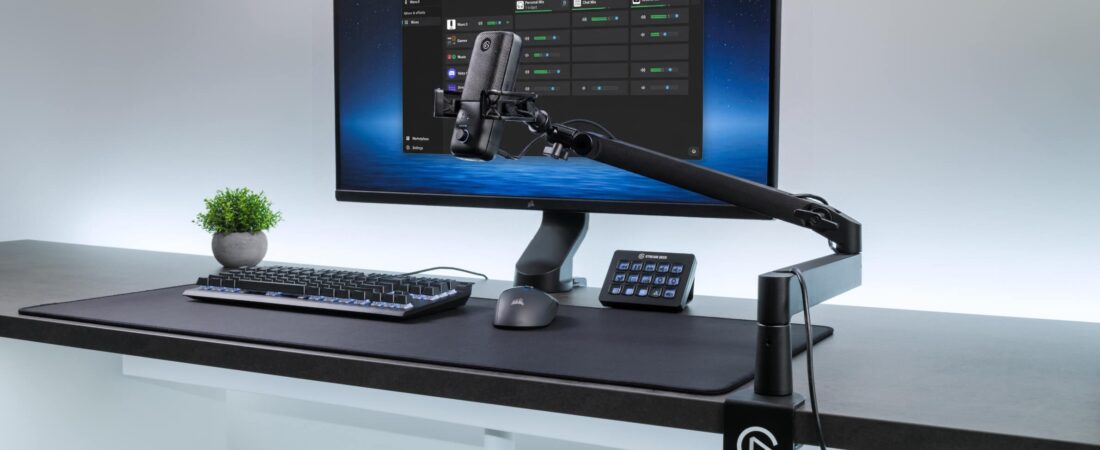
Disclosure: This post contains affiliate links. Publish Pass may earn a commission if you purchase through them, at no extra cost to you. We only recommend gear that fits a real short-form workflow. We do not invent earnings, sound tests, or “this arm made my audio pro” stories. Specs below come from manufacturer pages and spec sheets, plus Amazon public listings where noted. Not hands-on tested by Publish Pass.
A classic overhead boom arm puts a steel elbow right above your keyboard and, on camera, right next to your face. If you record voiceovers, podcasts, or talking-head Shorts at a desk, a low-profile mic arm runs the arm below your monitor and shoulder line instead, so the mic reaches you from underneath and the arm mostly stays out of the frame and out of your view of the screen.
Top pick: Elgato Wave Mic Arm LP. Budget pick: TONOR T20LP. Classic overhead option: RØDE PSA1+, for heavier mics on desks where an overhead arm doesn’t bother you. Microphones and lights are covered in our mic + lighting setup guide. All guides: Guides.
Who this is for
- Creators who record voiceovers, podcast segments, or talking-head Shorts at a desk with a USB or XLR mic
- Anyone on webcam or a phone mount at monitor height who wants the arm out of the shot (or at least low in it)
- People who read scripts from a screen or teleprompter and don’t want an arm crossing their line of sight
- Small desks where an overhead arm keeps hitting the monitor or lamp
Who should skip
- Lav or phone-only creators. A clip-on mic doesn’t need an arm; see our lav mic guide.
- Heavy mic + shock mount combos near the limit. Check your mic’s weight with its mount on the maker’s spec sheet. Each arm below lists a maker-stated limit, and some buyers on Amazon report sag near the top of the range.
- Desks thicker than the clamp (2.4 in / 60 mm on the Elgato) or with a lip or crossbar right under the edge. Measure first.
- Glass desks, unless the maker says the clamp is safe for them. None of the three makers we checked say so on the product pages.
- Anyone who wants the mic visible in frame as part of the look. A classic overhead arm does that better.
Low-profile vs classic overhead: which one?
| Your setup | Choose |
|---|---|
| Mic should come up from below; arm out of webcam frame and below the monitor | Low-profile (Elgato Wave Mic Arm LP or TONOR T20LP) |
| Tight budget, light USB mic | TONOR T20LP (maker limit 1.5 kg / 3.3 lb) |
| Heavier mic, cables hidden, adjustable joint tension | Elgato Wave Mic Arm LP (maker limit 2 kg / 4.4 lb with accessories) |
| Mic in frame is fine; you want spring arm, no knobs, long reach | RØDE PSA1+ (classic overhead; RØDE-stated range 94 g–1.2 kg, so 1.2 kg max) |
Top pick: Elgato Wave Mic Arm LP
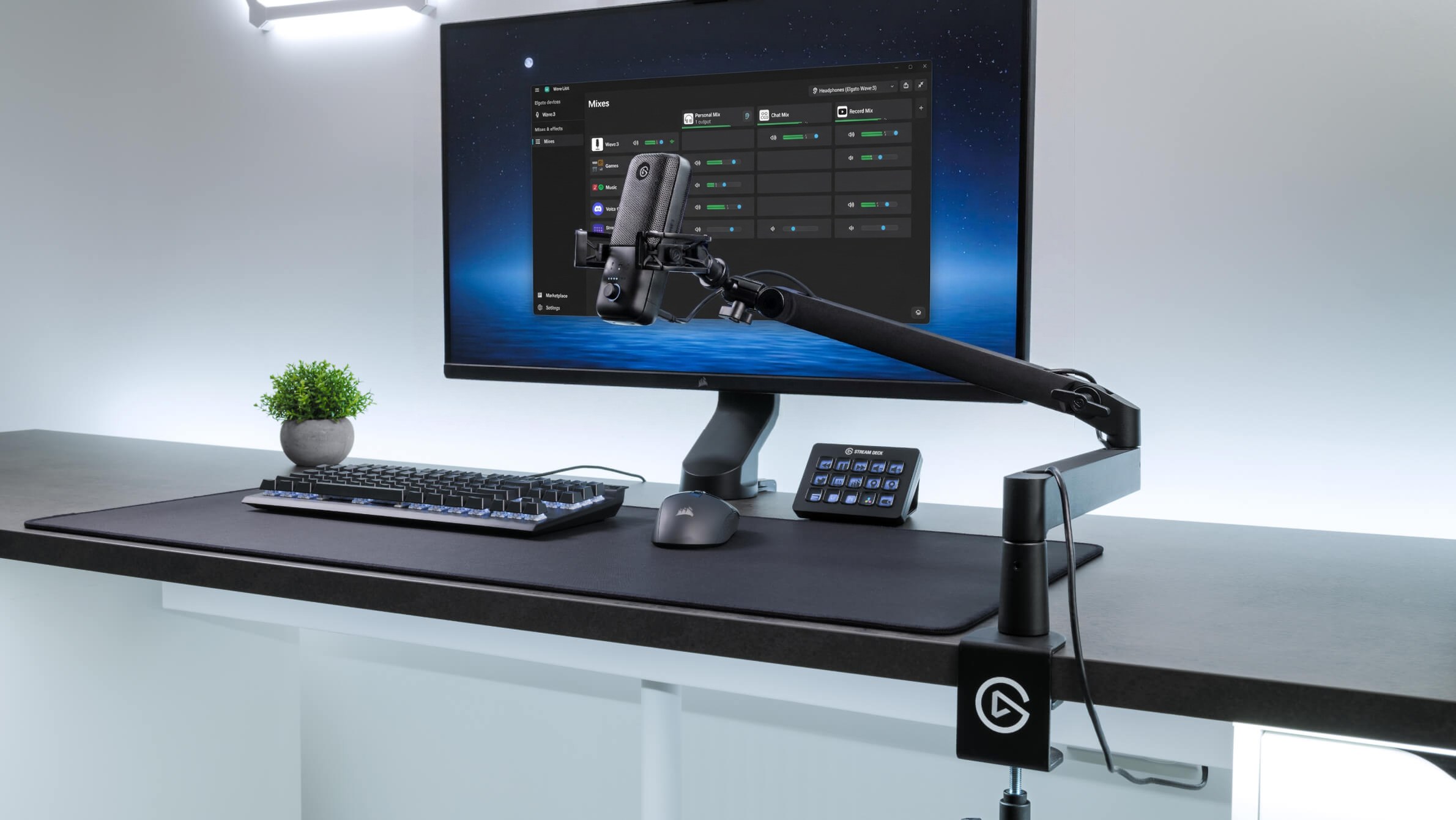
Why it fits desk creators (from Elgato’s spec page; not hands-on):
- Stays low. Elgato states 70 mm (2.8 in) lower-arm and 160 mm (6.3 in) upper-arm desk clearance, so the arm runs under most monitors instead of over them.
- Long reach. 740 mm (29.1 in) of horizontal reach, so you can clamp at the desk edge or corner and still bring the mic to the middle of the desk.
- 2 kg / 4.4 lb maximum load (mic plus accessories), the highest of the two low-profile picks here.
- Hidden cables. Built-in cable channels with magnetic covers for USB or XLR runs.
- Adjustable. 360° rotation at the base and elbow, 90° up / 60° down at the elbow, a ball head, and tension-adjustable joints. Ships with 1/4″→3/8″ and 1/4″→5/8″ adapters, plus an Allen key on the original version (Elgato says the newer version uses an attached wingnut instead). Padded clamp expands up to 60 mm (2.4 in).
Honest limits
- Clamp mount only. Elgato’s box list is the arm, desk clamp, two thread adapters, a quick start guide, and an Allen key (original version only), with no plate for a drilled desk mount.
- Some buyers on Amazon report the arm slowly sagging with heavier mics and needing the joints re-tightened. Elgato’s help center says an updated version adds a permanent wingnut for locking the vertical height. We can’t confirm which version a given Amazon listing ships.
- Clamp max is 60 mm (2.4 in); the TONOR’s is 7 cm (2.76 in).
- Price is far above the budget pick. You pay for the cable channels, the load limit, and the build.
Buyer note on naming: Elgato’s part number is 10AAN9901 (black). On Amazon (ASIN B097376LKF) the “Model Number” field just says “LP”, and the title reads “Elgato Wave Mic Arm Low Profile”. It’s the same product; check that the live title and part number match before you buy. A white version has its own listing.
Buy: Check Elgato Wave Mic Arm LP on Amazon
Budget pick: TONOR T20LP
Why it’s on the list (TONOR’s product page, plus TONOR’s own Amazon store listing where noted; not hands-on):
- Same low-profile idea: the arm extends from below the screen to keep your view clear.
- 1.5 kg / 3.3 lb maximum load (TONOR), so it suits lighter USB mics more than heavy broadcast mics.
- 360° horizontal rotation and 90° vertical adjustment; up to 74 cm (29.1 in) horizontal and 35 cm (14 in) vertical extension (Amazon listing).
- 3/8″ thread with a 5/8″ adapter included.
- Metal clamp fits desks up to 7 cm (2.76 in) thick, with silicone pads (Amazon listing).
Honest limits
- Cable management is four zip ties, not channels. It looks less tidy on camera than the Elgato.
- Exposed springs (Amazon lists the style as “Visible Spring”).
- Some buyers on Amazon report it straining or leaning forward with heavier mics when fully extended.
- Stock looked low when we checked; check the live listing.
Buyer note on naming: the model is T20LP. On Amazon (ASIN B0CFKHCQ8W) the part-number field shows “T50”, which doesn’t match TONOR’s naming. Check that the live title still ends in “Black, T20LP” before you buy. TONOR’s classic T20 is a different, overhead scissor arm. Amazon’s title lists the two arm sections (38 cm + 35 cm); the listing states 74 cm maximum horizontal extension.
Buy: Check TONOR T20LP on Amazon
Classic overhead option: RØDE PSA1+
This one is not a low-profile arm. It’s here for creators who’d rather go overhead: you don’t mind the arm in frame, you want spring-balanced movement with no tension knobs to fiddle with, or your desk is too thick for the Elgato’s 60 mm clamp.
Specs (RØDE’s PSA1+ datasheet; not hands-on):
- Supports mics from 94 g to 1.2 kg (0.2–2.7 lb), so 1.2 kg is the maximum. Amazon’s listing says 0.25–1.2 kg for the lower end; we go with RØDE’s datasheet.
- 940 mm (37 in) horizontal and 860 mm (34 in) vertical reach; 360° rotation.
- Integrated cable management for USB and XLR cables.
- Desk clamp for surfaces up to 70 mm thick, plus a threaded desk insert for surfaces up to 55 mm (permanent mount).
- 3/8″→5/8″ adapter included.
Honest limits
- Sits above the shoulder line, so it’s more visible on camera than the two low-profile picks.
- Lower maximum load (1.2 kg) than the Elgato (2 kg).
- The neoprene sleeves have large RØDE logos, which show on camera.
Buy: Check RØDE PSA1+ on Amazon
Compare at a glance
| Elgato Wave Mic Arm LP | TONOR T20LP | RØDE PSA1+ | |
|---|---|---|---|
| Style | Low-profile | Low-profile | Classic overhead |
| Max mic load (maker) | 2 kg / 4.4 lb incl. accessories | 1.5 kg / 3.3 lb | 1.2 kg / 2.7 lb (supports 94 g and up) |
| Horizontal reach | 740 mm / 29.1 in | 74 cm / 29.1 in (listing) | 940 mm / 37 in |
| Desk clamp | Up to 60 mm / 2.4 in | Up to 7 cm / 2.76 in (listing) | Up to 70 mm; desk insert up to 55 mm |
| Cable management | Magnetic-cover channels | 4 zip ties | Integrated, USB + XLR |
| Thread | 1/4″ ball head + 3/8″ and 5/8″ adapters | 3/8″ + 5/8″ adapter | 5/8″ with 3/8″ adapter |
| Best when | Clean, low arm under the monitor for most desk mics | Lowest cost, light USB mic | Mic in frame is fine; spring arm, long reach |
Prices change often. Check the live listing.
Getting the mic out of the shot (and close to your mouth)
- Run it low from the side. Clamp at the desk edge on your mic hand’s side, run the arm under the monitor, and angle the mic up toward your mouth from just below the bottom of the frame.
- Frame first, then place the mic. Set your webcam or phone framing, then bring the mic in until it just leaves the bottom or side of the frame. Getting the mic closer usually helps more than any plugin, so keep it as close as your framing allows.
- Hide the cable. Use the arm’s channel or ties so the cable doesn’t swing into the shot.
- Mind the screen. If you read from a monitor or a teleprompter, keep the arm below the text so your eyes don’t jump around it.
Changing your chair height moves your mouth relative to the mic. Streaming chairs under $300 are compared in our streaming chair guide.
More seating picks for your desk setup are in our Desk & Seating guides.
Setup / workflow: record → monitor → clip
- Mount once. Clamp the arm, route the cable, set the joint tension for your mic and mount.
- Record the batch. Voiceovers or talking-head takes. Microphone and light picks are in the mic + lighting guide; camera picks are in the webcam / capture guide.
- Monitor while you record. Closed-back headphones from our monitoring headphones guide catch plosives and room noise.
- Swing it away. Push the arm aside between takes to get your desk back.
- Mark and clip. Mark takes with a Stream Deck, then clip and caption with AI video tools.
Already have the arm from our mic + lighting guide?
Our mic + lighting guide uses a classic budget boom arm (InnoGear). If it works on your desk, keep it. This page is for when that arm is in your view or your shot and you want it lower.
Quick pick
- Most desk creators: Elgato Wave Mic Arm LP
- Light USB mic, tight budget: TONOR T20LP
- Overhead is fine, want spring movement and long reach: RØDE PSA1+
If you’re rebuilding the whole desk, our standing desks for streaming under $300 guide covers clamp-friendly tops.
FAQ
Will a low-profile arm hold my mic?
Add your mic’s weight to its shock mount or clip (from the maker’s spec sheet) and compare the total to the arm’s limit: Elgato 2 kg including accessories, TONOR 1.5 kg, RØDE 1.2 kg (RØDE says mics from 94 g up). Leave some headroom if you’ll extend the arm fully.
Do these fit any mic?
All three include adapters for the two common mic threads (3/8″ and 5/8″). Some mics need a clip or shock mount that’s sold separately.
Will it fit my desk?
Measure your desk thickness against the clamp: Elgato up to 60 mm, TONOR up to 7 cm, RØDE up to 70 mm. Check for a lip, drawer, or crossbar under the edge too.
Did you test these?
No. This guide uses manufacturer specs and public listings. See How We Review.