
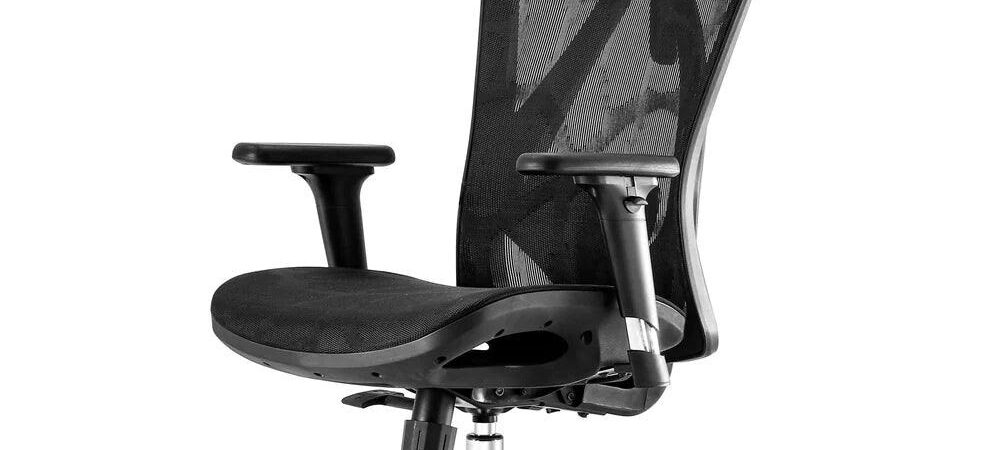
Disclosure: This post contains affiliate links. Publish Pass may earn a commission if you purchase through them, at no extra cost to you. We only recommend gear that fits a real short-form workflow. We do not invent comfort tests, health claims, or “this chair changed my streams” stories. Specs below come from manufacturer product pages, plus Amazon public listings where noted. Not hands-on tested by Publish Pass.
Streams, batch-recording days, and long editing sessions all mean hours in one chair. This guide sticks to chairs that were under $300 on Amazon when we checked (Oct 23, 2026) and sold by Amazon or the brand itself, and it compares them on things you can check before you buy: maker-stated weight capacity, height range, seat depth, armrest and headrest adjustment, recline, and warranty.
Top pick: SIHOO M57. Budget pick: SIHOO M18. Most adjustable for the money: FlexiSpot OC3. Gaming-style option: Razer Iskur V2 X. All guides: Guides.
Who this is for
- Streamers and creators who sit for long sessions: live streams, voiceover batches, or editing Shorts after recording
- Anyone setting up a first real desk setup on a budget who wants maker specs side by side instead of a 20-chair roundup
- People on camera who want to know whether a tall headrest or gaming-style back will show up in frame
- Small rooms where the chair has to fit under a desk and roll back far enough for a standing or framing change
Who should skip
- Anyone with a medical or physical need. We can’t tell you which chair is right for your body. Talk to a professional and try chairs in person if you can.
- Budgets over $300. Premium office chairs with longer warranties and more adjustment exist above this price. This page doesn’t cover them.
- People near or above a chair’s weight limit. Each pick lists a maker-stated limit. Leave headroom.
- Very tall or very short sitters. Compare your desk height and leg length to the maker’s seat-height or user-height range first. Two of these makers don’t publish a seat-height range for the US model.
- Hard floors you care about. Check whether the casters suit your floor, or plan on a chair mat.
Which chair fits your setup?
| Your setup | Choose |
|---|---|
| Mesh back, adjustable headrest, most adjustment under $300 | SIHOO M57 (maker: 330 lb capacity, 3D armrests, 3-year warranty) |
| Lowest price, same maker capacity, simpler armrests | SIHOO M18 (maker: 330 lb, up/down armrests, 3-year warranty) |
| Shorter seat depth and the longest listed warranty here | FlexiSpot OC3 (maker: 15.9″ seat depth, 5-year warranty in FlexiSpot’s spec table) |
| Gaming-chair look on camera, deep recline, no headrest | Razer Iskur V2 X (maker: up to 152° recline, 299 lb) |
Top pick: SIHOO M57
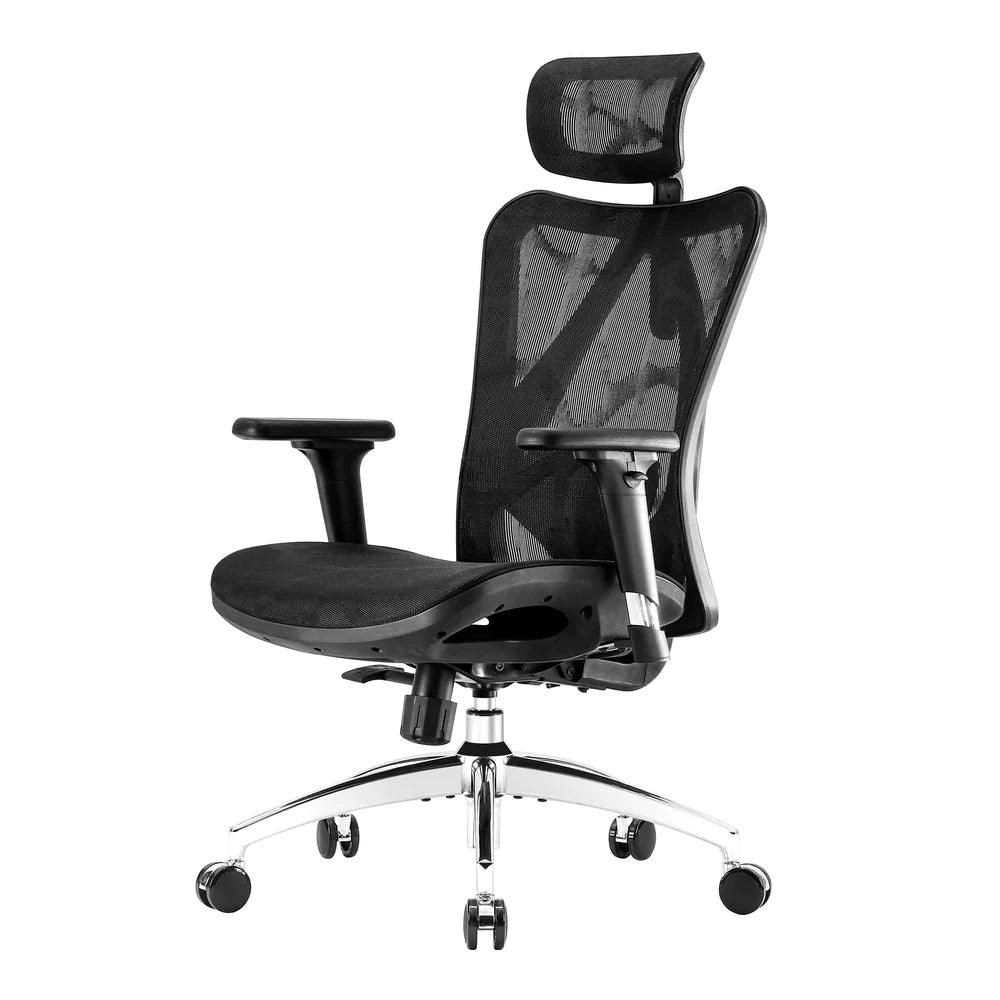
Why it’s on the list (from SIHOO’s US product page; not hands-on):
- 330 lb maximum load, the highest maker-stated capacity on this page (tied with the M18).
- Overall height 42″–49″, with a seat depth of 18.11″.
- Adjustable headrest and arms. The maker says the headrest moves up to 3.9″ and tilts up to 45°, and the armrests are 3D adjustable.
- Recline up to 126°, and the maker says the lumbar support is adjustable.
- 3-year warranty, and SIHOO lists BIFMA and SGS certification on the page.
Honest limits: SIHOO’s US page gives overall height but not a seat-height range. SIHOO’s EU dimensions page lists 46–55 cm (about 18.1″–21.7″) for the M57, but we can’t confirm the US version matches, so measure your desk and check the listing. The headrest is tall, so it may show behind you on camera. The lower price on Amazon was a Prime member price when we checked; the regular one-time price was higher but still under $300.
Buyer note on naming: On Amazon (ASIN B07BDFW1Y7) the title says SIHOO M57, but the listing’s model fields read “M57-M111” and “B100-LITE-JP-4”, with part number M57-M015. That looks like Amazon catalog data, not a different chair. Check that the live title still says M57 and that black is selected before you buy.
Buy: Check SIHOO M57 on Amazon
Budget pick: SIHOO M18
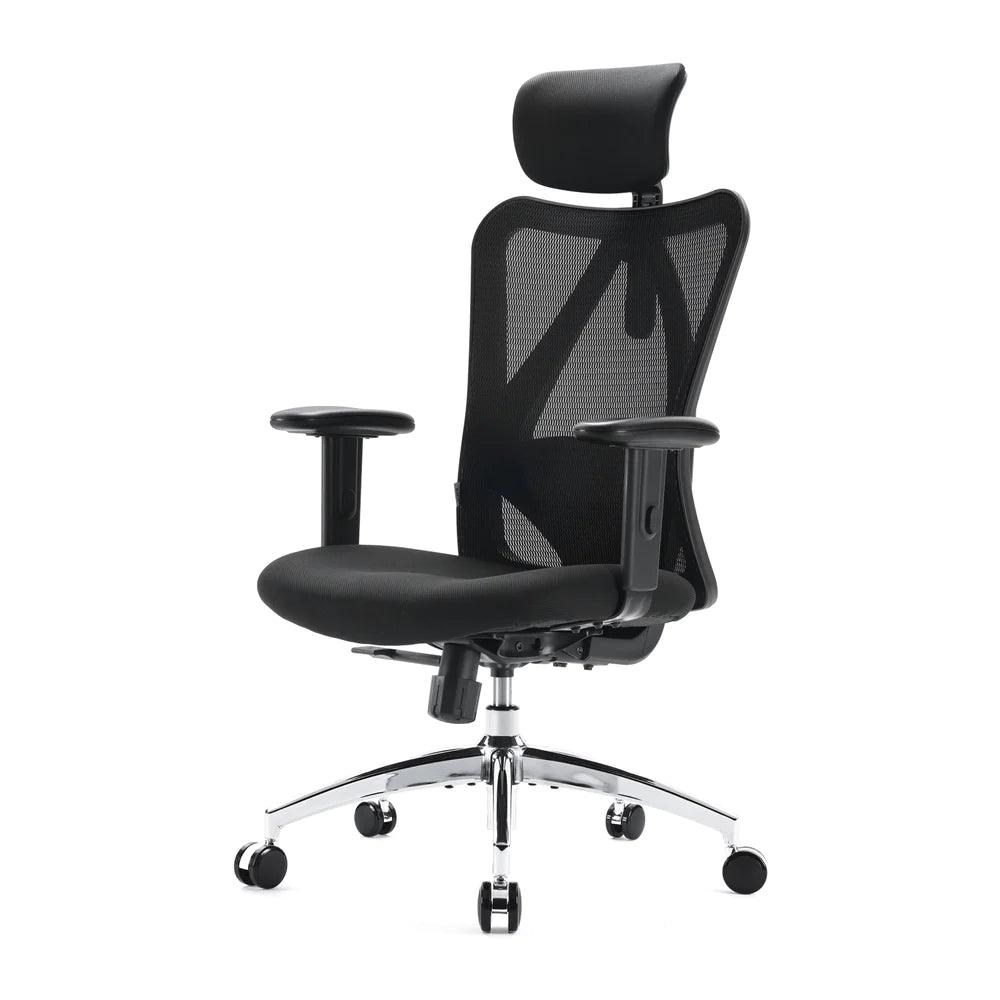
Why it’s on the list (from SIHOO’s US product page; not hands-on):
- 330 lb maximum load, the same maker-stated capacity as the M57 for less money.
- Overall height 44″–51″, with a seat depth of 17.91″.
- Recline up to 126° and a headrest, per the maker.
- 3-year warranty.
Honest limits: SIHOO’s spec table lists the armrests as up-and-down only (the same page and the Amazon title also call them “2D”), so don’t count on swinging them in or out of the way of a desk edge or keyboard. Like the M57, SIHOO’s US page gives overall height, not a seat-height range, and its EU page lists different overall numbers, so check the listing and measure your desk.
Buyer note on naming: On Amazon (ASIN B07GNDDNMW) the title says SIHOO M18, but the model number field shows “M57” (part number M18-M148), and the color field read “Charcoal” while the title said Black. Check that the live title still says M18 and the photos match before you buy.
Buy: Check SIHOO M18 on Amazon
Most adjustable for the money: FlexiSpot OC3
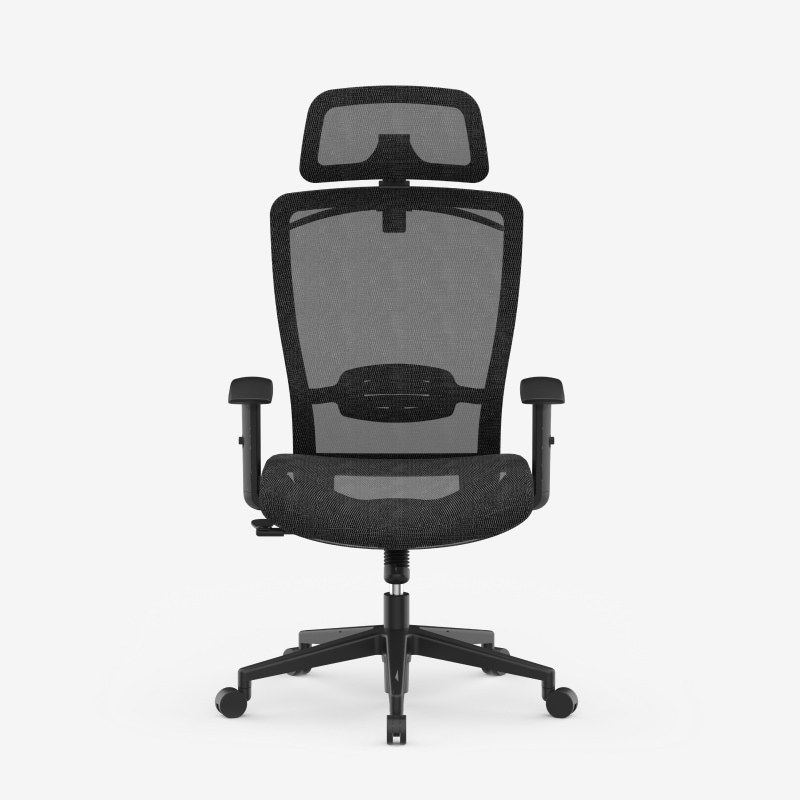
Why it’s on the list (from FlexiSpot’s OC3 product page; not hands-on):
- 300 lb maximum load.
- Seat height 18.5″–22.4″, the only US seat-height range a maker publishes for these four picks.
- Short seat. 15.9″ seat depth and 20.4″ seat width, the shallowest seat here.
- 2D headrest, 2D armrests, and recline from 90° to 130°. The maker says the lumbar support adjusts 1.9″ in height, and there’s a clothes hanger on the back.
- 5-year warranty in FlexiSpot’s spec table, the longest listed here. Another part of FlexiSpot’s product page says 3 years, so confirm the term with FlexiSpot before you buy.
Honest limits: There’s no seat-depth adjustment and no footrest. A 15.9″ seat is short; if you have long legs, compare it with the M57’s 18.11″ seat.
Buyer note on naming: On Amazon (ASIN B0FC625F4Y) the listing is titled FLEXISPOT OC3 Comfortable Mesh Ergonomic Office Chair with Lumbar, in black with the OC3 Single Lumbar back style, and its model and part number say OC3. FlexiSpot’s own page calls the chair OC3B, and our specs come from that page. The listing also offers other colors, seat sizes and a Dual Lumbar version, which may differ. Check the live title, color and back style before you buy.
Buy: Check FlexiSpot OC3 on Amazon
Gaming-style option: Razer Iskur V2 X
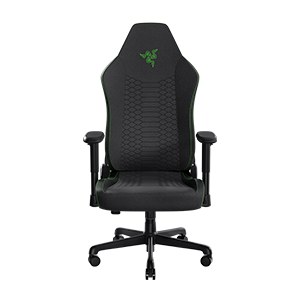
Why it’s on the list (from Razer’s product and support pages; not hands-on):
- Up to 299 lb. Razer’s product page says 299 lb; its user guide says 136 kg / 300 lb.
- User height 160–190 cm (about 5’3″–6’3″), per Razer.
- Deep recline. Razer says the back reclines up to 152°.
- Built-in lumbar curve in the backrest, per Razer (it isn’t adjustable), plus 2D armrests and a Class 4 gas lift.
- 3-year warranty on mechanisms and moving parts, per Razer.
Honest limits: There’s no headrest, and the lumbar curve doesn’t adjust. Razer doesn’t publish a seat-height range, so check the listing and measure your desk. The seat is 430 mm wide by 485 mm deep (about 16.9″ by 19.1″) per Razer’s spec page. When we checked, it was under our $300 cap, but its price has moved a lot, so check the live price.
Buyer note on naming: On Amazon (ASIN B0DP5SY554) the listing uses Razer’s part number RZ38-05310100-R3UA for the black Iskur V2 X. The “X” matters: the Iskur V2 (no X) is a different chair. Amazon also points to a newer Iskur V2 X NewGen, a separate listing that was over $300 when we checked. Check that the live title says Iskur V2 X, not NewGen, before you buy.
Buy: Check Razer Iskur V2 X on Amazon
Compare at a glance
| SIHOO M57 | SIHOO M18 | FlexiSpot OC3 | Razer Iskur V2 X | |
|---|---|---|---|---|
| Max load (maker) | 330 lb | 330 lb | 300 lb | 299 lb (user guide: 300 lb) |
| Height (maker) | Overall 42″–49″ | Overall 44″–51″ | Seat 18.5″–22.4″ | For users 160–190 cm |
| Seat depth | 18.11″ | 17.91″ | 15.9″ | 485 mm (about 19.1″) |
| Headrest | Adjustable | Yes | 2D | None |
| Armrests | 3D | Up/down | 2D | 2D |
| Recline (maker) | Up to 126° | Up to 126° | 90°–130° | Up to 152° |
| Warranty (maker) | 3 years | 3 years | 5 years (spec table; FlexiSpot also lists 3) | 3 years (mechanisms and moving parts) |
| Best when | You want the most adjustment | Lowest cost | Shorter seat, longest listed warranty | Gaming look, deep recline |
Prices change often. Check the live listing.
What shows up on camera
- Headrests and tall backs show. On a webcam at eye level, a tall headrest often frames your head from behind. That can look tidy or busy, so do a test shot before a stream.
- Mesh vs fabric. A mesh back may show light through it behind you; a solid fabric back like the Razer’s reads as one dark shape. Our ring light vs box light comparison covers lighting your face rather than the chair.
- Chair height sets mic height. If you raise or lower the chair, your mic position moves relative to your mouth. A low-profile mic arm keeps the arm under the monitor and out of the frame while you reposition.
Setup / workflow: sit → record → edit
- Set the chair to the desk first. Adjust seat height and armrests so your arms reach the keyboard, then set your camera and monitor around that position.
- Frame and light. Do a test shot with the chair at its usual height and recline. Lighting picks are in our ring light vs box light comparison.
- Place the mic. Bring the mic in from below with a low-profile mic arm so it stays close without blocking the screen.
- Edit in the same seat. For laptop editing at the desk, a USB-C hub or dock keeps the monitor, drives and card reader on one cable.
Setting up the desk too? Electric standing desks under $300 are compared in our streaming standing desk guide.
Quick pick
- Most streamers under $300: SIHOO M57
- Tight budget: SIHOO M18
- Shorter sitters, or you want the longest listed warranty: FlexiSpot OC3
- Gaming-chair look on stream: Razer Iskur V2 X
FAQ
Will this chair help my back?
We can’t promise that, and neither can a product page. We list the adjustments each maker says the chair has. If you have pain or a medical condition, ask a professional.
Gaming chair or office chair for streaming?
On this page, the mesh office chairs (SIHOO, FlexiSpot) list more adjustment and higher maker weight limits for the money. The Razer is the pick if you want the gaming-chair look on camera and a deeper recline, and don’t need a headrest.
Why no seat height for some chairs?
SIHOO’s US pages give overall chair height, and Razer gives a user-height range instead. Only FlexiSpot publishes a US seat-height range for these picks. Measure from the floor to the underside of your desk and leave room for your legs and armrests.
Will the armrests fit under my desk?
Check your desk’s underside height against the armrest height on the listing. The SIHOO M57’s 3D arms and the FlexiSpot OC3’s 2D arms can be adjusted; SIHOO’s spec table says the M18’s arms only go up and down.
Did you test these?
No. This guide uses manufacturer specs and public listings. See How We Review.