
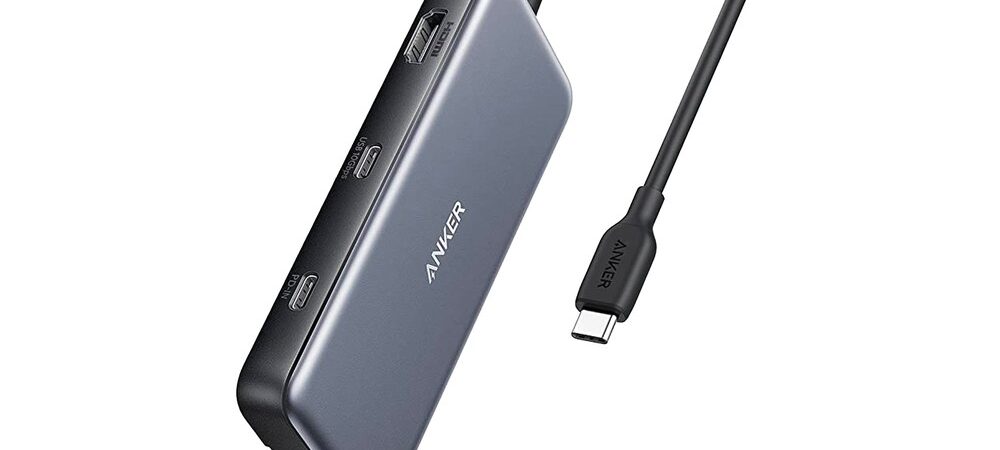
Disclosure: This post contains affiliate links. Publish Pass may earn a commission if you purchase through them, at no extra cost to you. We only recommend tools that fit a real short-form workflow. We do not invent earnings, transfer benchmarks, or “this hub doubled my editing speed” stories. Specs below come from manufacturer pages and Amazon public listings—not hands-on testing by Publish Pass.
Best USB-C Hub or Powered Dock for Laptop Shorts Editors
Editing Shorts on a laptop hits the same wall every batch day: the SSD, the camera SD card, the charger, and an external monitor all want the same one or two USB-C ports. This guide answers the real question—is a hub enough, or do you need a powered dock?—with picks from known brands that charge your laptop through the hub.
Featured: Anker 555 USB-C Hub (8-in-1). Pocket / budget alt: Anker 332 USB-C Hub (5-in-1). Desk step-up: CalDigit TS4 Thunderbolt 4 dock. Drives are covered in our portable SSD guide; recording gear lives in the webcam / capture and Stream Deck guides. All guides: Guides.
Who this is for
- Shorts / Reels / TikTok creators who edit on a USB-C laptop (MacBook Air/Pro, XPS-class Windows) and run out of ports
- Editors who need an SSD, an SD card, a charger, and one external monitor connected at the same time
- Creators who edit at a desk some days and on the road other days
Who should skip
- Laptops whose USB-C port doesn’t support DisplayPort Alt Mode and Power Delivery—no video or charging through a hub; check your laptop’s spec sheet first
- Linux editors (the Anker listings say “not compatible with Linux”)
- Phone-only editors (CapCut on the phone doesn’t need a hub)
- Desktop PC editors who already have plenty of ports
- Anyone hoping a hub will make a fast SSD faster—a hub can’t exceed its own port speed (more below)
Hub vs dock: which one do you need?
| Your setup | Choose |
|---|---|
| SSD + SD card + one monitor + charging; edit at a desk or on the road | Powered travel hub (Anker 555 — Featured) |
| Just charging + one monitor + one drive; smallest possible | Pocket hub (Anker 332) |
| Permanent desk with two monitors and lots of always-connected gear | Thunderbolt dock (CalDigit TS4) |
| Laptop has only USB-C ports without video/charging support | Skip—check your laptop spec first |
| Expect faster drive speeds through a hub | Skip—plug fast drives directly into the laptop |
Rule of thumb: a hub is enough when you use one external monitor (or none) and move between desk and bag. A dock earns its price when you want one cable to connect a permanent desk with two monitors, an audio interface, a webcam, a Stream Deck, and several drives.
Featured: Anker 555 USB-C Hub (8-in-1) — why these specs fit laptop Shorts editing
Featured pick: Anker 555 USB-C Hub on Amazon · ASIN B087QZVQJX
Product: Anker 555 USB-C Hub (8-in-1), Gray — model A8383
Buyer note: Amazon’s product title may not include “555,” and the same listing often uses the PowerExpand name alongside (or instead of) Anker 555. The listing’s model/part field has shown A83830A1 while Anker’s product naming is A8383 / Anker 555. This guide features ASIN B087QZVQJX and is not swapping to a different hub—match the live listing’s 8-in-1 / Ethernet / 4K@60Hz HDMI description (and color/seller) before you buy.
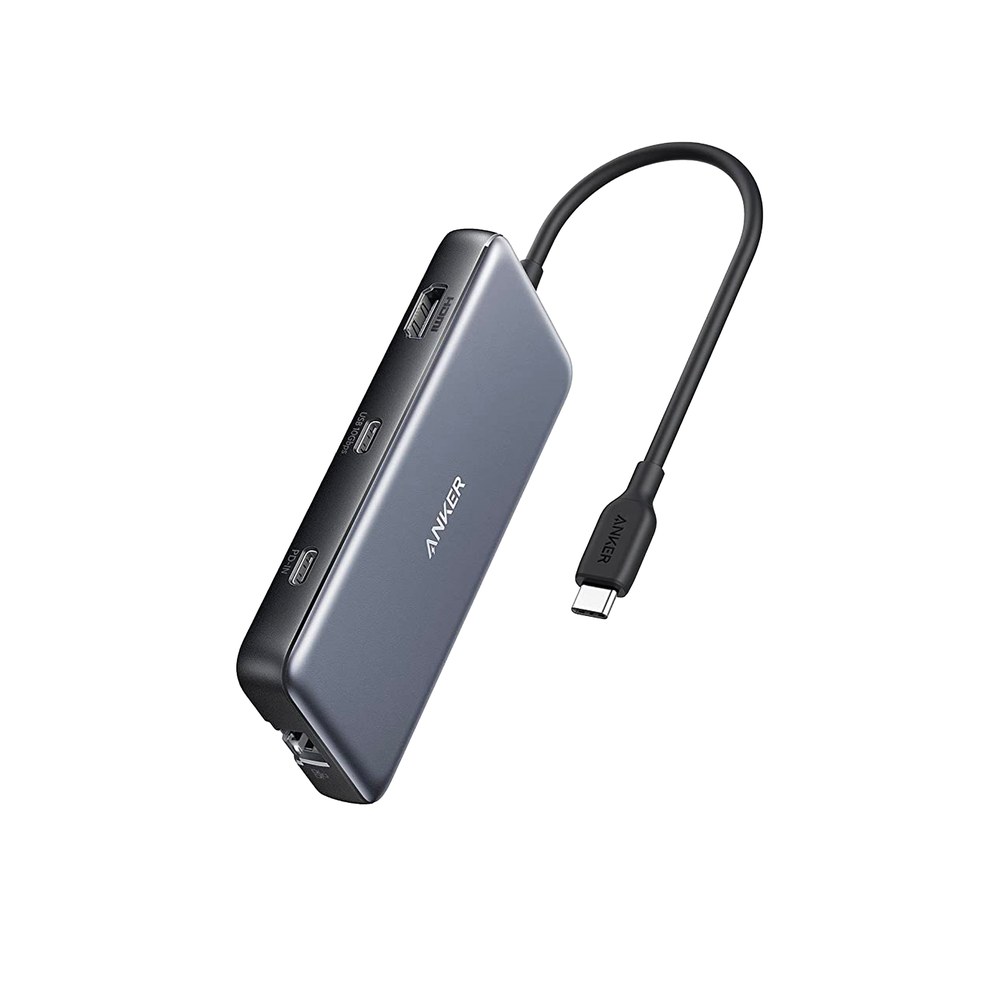
Label: Specs from manufacturer + Amazon public listing — not hands-on tested by Publish Pass.
Why it fits laptop Shorts editing (public specs)
- 100W charging in, up to 85W to your laptop — Keep the laptop charging while the SSD, card, and monitor are all attached, all through one laptop port. The hub uses about 15W itself; Anker says to use a 100W USB-C PD charger and cable for full pass-through. (Source: Anker product page; Amazon listing)
- 10 Gbps on all three data ports (1× USB-C + 2× USB-A) — Offload and edit from a portable SSD without dropping to 5 Gbps; that matches the interface of 10 Gbps drives like the Samsung T7 Shield. (Source: Anker product page; Amazon listing)
- SD + microSD card readers (UHS-I) — Dump camera, drone, or action-cam cards straight into your edit laptop without another dongle. (Source: Anker product page)
- HDMI up to 4K@60Hz (on laptops with DisplayPort 1.4 Alt Mode; 4K@30Hz on DP 1.2) — Put the timeline on one screen and a full-screen 9:16 preview on the other. (Source: Anker product page; Amazon listing)
- 1 Gbps Ethernet in a bag-sized hub — Wired connection for big uploads or cloud syncs when Wi-Fi is flaky. About 4.76 × 2.17 × 0.6 in and ~4.5 oz with a built-in USB-C cable. (Source: Anker product page; Amazon listing)
Buy: Check Anker 555 hub on Amazon
Honest limits
- One external display only (one HDMI port). The USB-C data port doesn’t output video
- Amazon’s model/part field has shown A83830A1 while Anker names it A8383 / Anker 555, and the listing may say PowerExpand—confirm the live title and 8-in-1 / Ethernet / 4K@60Hz HDMI description; this guide sticks with B087QZVQJX
- 4K@60Hz depends on your laptop—DisplayPort 1.2 laptops get 4K@30Hz
- 10 Gbps is the ceiling—a 20 Gbps SSD won’t hit its headline speed through this hub (see the SSD section below)
- SD readers are UHS-I—UHS-II cards work, but at UHS-I speeds
- Charger not included; your laptop gets up to ~85W. Laptops that want more than that will charge slower through the hub
- Runs warm when fully loaded or charging—Anker says that’s normal (up to ~122°F); don’t cover it
- The hub’s data ports don’t charge phones or other devices
- Not compatible with Linux per the listing (macOS 12+, Windows 10/11, ChromeOS)
- Port speeds and charging figures are manufacturer/listing specs—not Publish Pass measurements
Specs that matter for Shorts
| Spec | Anker 555 (Featured) | Why it matters for Shorts editors | Source |
|---|---|---|---|
| Charging | 100W PD in; up to 85W to laptop | Edit on a charging laptop with everything attached | Manufacturer / Amazon |
| Data ports | 1× USB-C + 2× USB-A, 10 Gbps each | SSD plus another drive or peripheral at once | Manufacturer / Amazon |
| Card readers | SD + microSD, UHS-I | Card dumps without an extra dongle | Manufacturer |
| Display | 1× HDMI, up to 4K@60Hz (DP 1.4 laptop) | Timeline + 9:16 preview on an external monitor | Manufacturer / Amazon |
| Network | 1 Gbps Ethernet | Wired uploads and syncs | Manufacturer / Amazon |
| Size / weight | ~4.76 × 2.17 × 0.6 in; ~4.5 oz | Bags with your laptop and SSD | Manufacturer |
Pocket / budget alt: Anker 332 USB-C Hub (5-in-1)
Role: The smallest way to get charging + one monitor + a drive on a laptop with too few ports. No card reader, no Ethernet.
Product: Anker 332 USB-C Hub on Amazon · ASIN B0BQLLB61B
Public specs (Anker product page + Amazon listing): 100W USB-C PD in with up to 85W to the laptop (the PD port is charging-only); HDMI up to 4K@30Hz; one USB-C data port and two USB-A ports, all 5 Gbps; about 3.54 × 2.05 × 0.59 in and ~1.4 oz; macOS 12+, Windows 10/11, ChromeOS. Anker’s own page suggests connecting a Samsung T7 SSD to the USB-A ports for stable transfer.
Honest limits: 5 Gbps ports are half the Featured hub’s speed—fine for proxies and smaller days, slower for big 4K offloads. 4K@30Hz HDMI is OK for a preview screen but not smooth for 60Hz work. No SD reader or Ethernet. Not compatible with Linux per the listing. Not hands-on by Publish Pass.
Buy (comparison): Anker 332 hub on Amazon
Desk step-up: CalDigit TS4 Thunderbolt 4 dock
Role: A permanent desk station—plug in one Thunderbolt cable and the laptop gets power, monitors, network, and every peripheral at once. This is the “powered dock” answer, not a travel hub.
Product: CalDigit TS4 on Amazon · ASIN B09GK8LBWS
Public specs (CalDigit product page + Amazon listing): 18 ports; up to 98W laptop charging; 3× Thunderbolt 4 (40Gb/s)—one to the computer, two downstream; 3× USB-C + 5× USB-A at 10Gb/s; SD + microSD UHS-II readers; 2.5 Gigabit Ethernet; DisplayPort 1.4; front and rear audio; external 230W power supply; 0.8 m Thunderbolt 4 cable included; 1.41 lb; 2-year warranty. Displays: single 8K on supported Windows PCs, single 6K@60Hz on Macs, dual 6K@60Hz on M-series Pro/Max/Ultra Macs, dual 4K@60Hz on supported Windows PCs.
Honest limits:
- Much pricier than a hub—check the live listing
- Full features need a Thunderbolt 4 / USB4 laptop; on plain USB-C laptops, performance and features are capped by the host port, and 2.5GbE requires a Thunderbolt host
- No native HDMI—DisplayPort 1.4 (CalDigit says HDMI needs an active adapter) or a monitor on a downstream Thunderbolt port
- Base M1–M3 Macs (non-Pro/Max) support only one external display through the dock—that’s an Apple hardware limit, not the dock
- It’s a desk box with a power brick—not something to toss in a bag
- Not hands-on by Publish Pass
Buy (comparison): CalDigit TS4 on Amazon
Compare at a glance
| Factor | Anker 555 (Featured) | Anker 332 (pocket) | CalDigit TS4 (desk dock) |
|---|---|---|---|
| Form | Bag-sized hub, built-in cable | Smallest hub | Desk dock with power supply |
| Laptop charging | Up to 85W | Up to 85W | Up to 98W |
| Fastest data port | 10 Gbps (×3) | 5 Gbps (×3) | 40Gb/s Thunderbolt 4 (×2 downstream); 10Gb/s USB (×8) |
| Card reader | SD + microSD (UHS-I) | None | SD + microSD (UHS-II) |
| Display | 1× HDMI, 4K@60Hz (DP 1.4 laptop) | 1× HDMI, 4K@30Hz | DisplayPort 1.4 + Thunderbolt; up to dual 6K on supported Macs |
| Ethernet | 1 Gbps | None | 2.5 Gbps (Thunderbolt laptop) |
| Best when | Edit anywhere: card + SSD + monitor + charging | Just charging + monitor + one drive | Permanent two-monitor desk |
Hubs and SSD speed (read this before you buy)
A hub can’t make a drive faster than the port it’s plugged into:
- Anker 555: 10 Gbps ports—matches 10 Gbps drives like the Samsung T7 Shield
- Anker 332: 5 Gbps ports—roughly half that interface ceiling
- 20 Gbps drives (like the current SanDisk Extreme Portable SSD) need a laptop port that supports 20 Gbps USB to reach their headline speed—plug them directly into the laptop when you want the fastest offload
- Many laptops, including Apple silicon Macs, top out at 10 Gbps for USB drives anyway—so on those machines the Featured hub’s port often isn’t the bottleneck
- CalDigit TS4: its Thunderbolt 4 ports suit Thunderbolt / USB4 drives; USB drives run on its 10Gb/s ports (or at whatever the drive supports)
These are interface ceilings, not measured speeds. Drive picks and real-world speed caveats are in our portable SSD guide for 4K Shorts.
Setup / workflow: record → offload → edit → preview → upload
How a hub fits a batch Shorts day:
- Record — Batch your takes on phone, webcam, or camera (see our phone tripod, webcam / capture, and mic + lighting guides).
- Offload — Put the camera’s SD card in the hub’s reader, or plug your portable SSD into a 10 Gbps port and copy the day’s folder.
- Edit on the laptop — The hub’s charging input keeps the laptop powered while the drive stays attached; keep the project and media on the SSD.
- Preview (optional) — Run HDMI to an external monitor: timeline on one screen, full-screen 9:16 preview on the other.
- Upload / sync — Use Ethernet for big uploads or cloud syncs. Clipping and captions → our AI video tools guide.
Desk-dock version: The TS4 stays on the desk with monitors, audio interface, webcam, Stream Deck, and drives connected; one Thunderbolt cable to the laptop and you’re editing.
Tip: If a peripheral (a capture device or controller) drops out through a hub, try plugging it straight into the laptop—bus-powered hubs share power and bandwidth across ports.
Editing long sessions at the desk? See our streaming chair guide for chairs under $300 compared on maker specs.
Pair with SSD / webcam / Stream Deck / AI tools
- Best Portable SSD for Video Editors & 4K Shorts Footage — the drive this hub plugs into
- Best Webcam & Capture Setup for Desk Short-Form Creators — the recording side of the desk
- Best Stream Deck for Creators Who Batch Record & Clip Shorts — one-press scenes and macros
- Best AI Video Tools for Short-Form Creators — clipping and captions after the edit
- Editing on the road on hotel or café Wi-Fi? See whether you need a VPN when uploading Shorts while traveling
Laptop editors who repurpose longform can add a budget AI clipper instead of more editing hours.
Quick pick
| Situation | Pick |
|---|---|
| SSD + SD card + one 4K monitor + charging, desk or bag | Anker 555 (Featured) |
| Charging + one monitor + one drive, smallest and cheapest | Anker 332 |
| Permanent two-monitor desk, lots of gear, Thunderbolt laptop | CalDigit TS4 |
| Fastest possible SSD offload | Plug the drive directly into the laptop—see the SSD guide |
Mounting the dock under a sit-stand top? See standing desks for streaming under $300.
FAQ
What’s the difference between a USB-C hub and a dock?
Hubs are usually bus-powered and small, with a built-in cable—good for one monitor and a few devices on the go. Docks have their own power supply, more ports, and often Thunderbolt for multiple monitors and higher bandwidth—built to stay on a desk.
Do I need a charger for the hub?
Only if you want to charge your laptop through it. Both Anker hubs pass up to 85W when you use a 100W USB-C PD charger (not included). The TS4 has its own power supply.
Will a hub slow down my SSD?
It can cap it. A drive runs no faster than the hub port it’s on—10 Gbps on the Anker 555, 5 Gbps on the Anker 332. For the fastest offload, plug the drive directly into a laptop port that supports the drive’s full speed.
Can I run two monitors from the Anker 555?
No—it has one HDMI port. For two monitors, look at a Thunderbolt dock like the TS4, and confirm your laptop supports two external displays (base M1–M3 MacBooks support one).
Does this work with my MacBook Air?
The Anker hubs list macOS 12 and newer and need a USB-C port with DisplayPort Alt Mode and Power Delivery, which MacBook Air USB-C/Thunderbolt ports provide. Check the live listing’s compatibility notes for your exact model.
Is this hands-on tested?
No. Publish Pass has not hands-on tested these hubs or docks for this page. Specs are from manufacturer pages and Amazon public listings only.
How we chose these products
Publish Pass is a privately owned and operated site. For this gear page we:
- Relied on manufacturer-stated specs and Amazon public listing copy (checked ~2026-10-05)
- Stuck to known brands that list Power Delivery pass-through plus HDMI and/or Ethernet, and skipped unbranded multipacks
- Featured pick is the Anker 555 (B087QZVQJX)—sold by AnkerDirect and shipped by Amazon when we checked the listing (~2026-10-05)
- Labeled not hands-on and refused invented benchmarks or editing-speed claims
How we think about recommendations: How We Review.
Affiliate links use Amazon Associates tag publishpass20-20. Product availability, sellers, prices, and included accessories can change; check the live listing before you buy.