
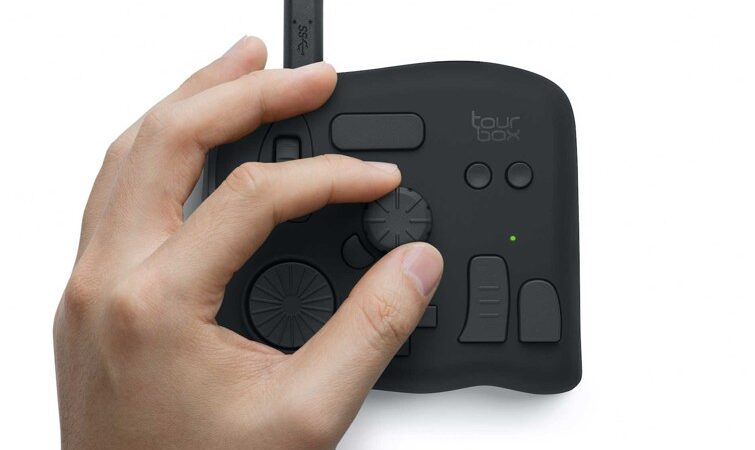
Disclosure: This post contains affiliate links. Publish Pass may earn a commission if you purchase through them, at no extra cost to you. We only recommend gear that fits a real short-form workflow. We do not invent timing tests or “this controller halved my edit time” stories. Specs below come from manufacturer product pages, plus Amazon public listings where noted. Not hands-on tested by Publish Pass.
Cutting Shorts is mostly the same few moves over and over: scrub the timeline, set in and out points, split, ripple delete, zoom, undo. An editing controller puts those moves on a dial, a wheel and a handful of buttons under your left hand, so your right hand can stay on the mouse. This guide compares editing controllers that were sold by Amazon.com or the brand on Amazon when we checked (Nov 2, 2026), on what matters for a Shorts edit: how many controls you get, wired or wireless, which apps the maker supports, and what the maker says is in the box.
Top pick for timeline editing: TourBox NEO. Wireless: TourBox Elite. Keys that show what they do: Logitech MX Creative Console (Graphite). Lowest price: TourBox Lite. All guides: Guides.
Who this is for
- Creators who cut Shorts, Reels or TikToks in Premiere Pro, DaVinci Resolve or Final Cut Pro and repeat the same shortcuts all session
- Anyone who edits a batch of clips in one sitting and wants scrubbing and trimming on a physical dial or wheel
- Laptop editors who are tired of finger-gymnastics keyboard shortcuts
- Budget setups that want maker specs side by side, not a 15-gadget roundup
Who should skip
- Phone-only editing. TourBox lists Windows and macOS only for the three TourBox models here (its Elite Plus, not covered here, adds iPad support), and Logitech’s software runs on computers. If you cut in CapCut on your phone, this isn’t for you.
- Stream and scene control. If you mostly want buttons for OBS scenes, recording and sound effects, our Stream Deck guide is a better fit.
- One edit a week. Every one of these takes setup time to map your shortcuts. If you edit rarely, learning your editor’s keyboard shortcuts may be enough.
Which editing controller fits your setup?
| Your setup | Choose |
|---|---|
| One controller on one computer, cable is fine, want dial plus wheel plus knob | TourBox NEO (maker: wired USB-C, up to 30 presets) |
| Laptop editing on the couch or switching between two computers | TourBox Elite (maker: Bluetooth 5.0 or USB-C, two devices, haptic feedback) |
| Want to see each key’s job on the key itself, plus a big dial | Logitech MX Creative Console (Graphite) (maker: LCD display keys, up to 15 keypad pages per app) |
| Lowest price, fewer controls, smallest of the TourBox picks | TourBox Lite (maker: 8 controls, wired USB-C) |
Top pick for timeline editing: TourBox NEO
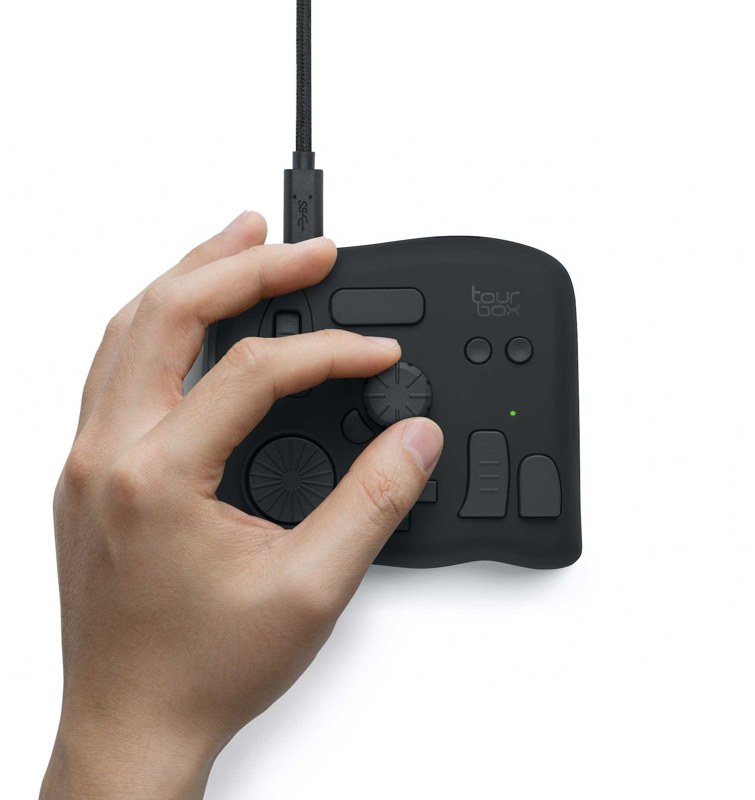
Why it’s on the list (from TourBox’s NEO product page and its Amazon listing; not hands-on):
- 14 controls on the Amazon listing, including a knob, a dial and a scroll wheel for scrubbing and zooming a timeline. TourBox says each has fast, medium and slow speed modes.
- Presets for editing apps. TourBox says one preset holds over 150 actions and you can create up to 30 presets, and its site lists video-editing presets for apps such as Premiere Pro and DaVinci Resolve.
- Wired USB-C, so there are no batteries to charge or replace, per TourBox.
- 116 x 101 x 44 mm and 370 g, per TourBox.
- Windows 7 or later (64-bit) and macOS 10.13 or later, per TourBox.
Honest limits: It’s cable only. There are no labels on the buttons, so you learn the layout or use TourBox’s on-screen hints. TourBox lists Windows and macOS only for it. Some buyers on Amazon report a learning curve and trouble getting it to work with some apps.
Buyer note on naming: On Amazon (ASIN B08HCV1JGB) the listing’s model number is TBG_H_L_N. TourBox sells several models that look alike; check that the live title still says NEO before you buy (the Elite is the wireless model).
Buy: Check TourBox NEO on Amazon
Wireless: TourBox Elite
Why it’s on the list (from TourBox’s Elite product page; not hands-on):
- Bluetooth 5.0 or USB-C cable. TourBox lists dual-channel Bluetooth and says it can switch between two computers, picking the right preset for the app in use.
- Haptic feedback with different strength levels, per TourBox. The NEO doesn’t have it.
- 11 buttons and 3 rotary controls in the same 116 x 101 x 44 mm size as the NEO, per TourBox.
- Battery life up to 2 months, per TourBox, which lists a battery in the box.
- 376 g without batteries (TourBox says the batteries add 48 g).
Honest limits: It costs the most of the TourBox picks at our check. Bluetooth needs a computer with BLE 4.2 or later, per TourBox. TourBox’s site lists Windows and macOS only.
Buyer note on naming: On Amazon (ASIN B0B5XCMFQD) the title says TourBox Elite in black. The link opens the “Elite (Device Only)” size; a Device+Cable+Bag set is a separate option. TourBox also sells an Elite Plus. Check the title, size and color before you buy.
Buy: Check TourBox Elite on Amazon
Keys that show what they do: Logitech MX Creative Console (Graphite)
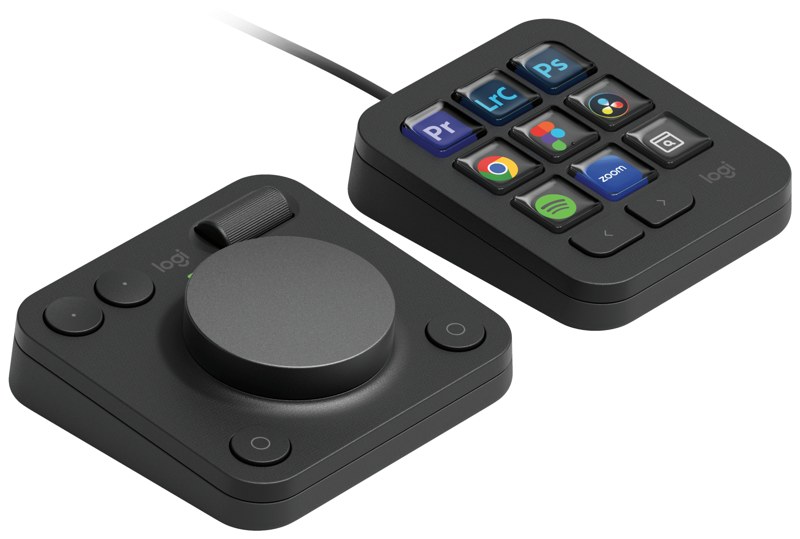
Why it’s on the list (from Logitech’s MX Creative Console page and its Amazon listing; not hands-on):
- Two pieces: a keypad with 9 LCD display keys and a wireless dialpad with an aluminum dial, a roller and extra keys, per Logitech. Each key can show an icon for what it does.
- Up to 15 keypad pages per app in the Logi Options+ app, per Logitech, so one 9-key pad can hold many shortcuts.
- Recommended profiles for apps including Premiere Pro, Final Cut Pro and DaVinci Resolve, per Logitech.
- A stand for the keypad is in the box, per the Amazon listing. Logitech’s page also listed a 3-month Adobe Creative membership offer when we checked (Oct 2026); check that it still applies.
- Free plugins and profiles through the marketplace in Logi Options+, per Logitech.
Honest limits: You need the Logi Options+ software running for the keys to do anything useful. The dialpad runs on batteries. Nine keys is fewer than the TourBox picks’ button count, so you’ll flip pages more. Some buyers on Amazon report software and plugin problems with some apps.
Buyer note on price and color: On Amazon (ASIN B0D5FRQXWZ) the title says MX Creative Console in Graphite. Logitech’s list price was $199.99 when we checked (Oct 2026), and prices on Amazon change often. The Pale Grey color is a separate listing. Check that the live title says Graphite, and check the live price, before you buy.
Buy: Check Logitech MX Creative Console (Graphite) on Amazon
Lowest price: TourBox Lite
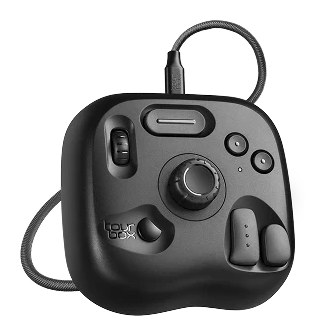
Why it’s on the list (from TourBox’s Lite product page and its Amazon listing; not hands-on):
- Lowest price on this page at our check.
- 8 controls, including a knob and a scroll wheel, per the Amazon listing.
- Wired USB-C on this version; a USB cable and a travel bag are in the box, per the Amazon listing.
- 111 x 106 x 39 mm and 329 g for the wired model, per TourBox.
- Windows 7 or later (64-bit) and macOS 10.13 or later, per the Amazon listing.
Honest limits: TourBox lists a knob and a wheel but no dial, so there are fewer ways to scrub and zoom than on the NEO or Elite. It doesn’t support iPadOS, iOS, Android or Linux. Some buyers on Amazon report it stopped connecting after a few months.
Buyer note on naming: On Amazon (ASIN B0CYZH6VTG) the title calls it a “Drawing Controller”, and its model field reads TBL. It’s the same TourBox Lite that TourBox lists for video editing. TourBox also sells a wireless Lite; this link opens the wired “Device+Cable+Bag” set. Check the set name before you buy.
Buy: Check TourBox Lite on Amazon
Compare at a glance
| TourBox NEO | TourBox Elite | Logitech MX Creative Console | TourBox Lite | |
|---|---|---|---|---|
| Controls | 14 (listing) | 14 (11 buttons + 3 rotary, maker) | 9 LCD keys + dialpad keys | 8 (listing) |
| Rotary controls | Knob, wheel, dial | Knob, wheel, dial | Dial, roller | Knob, wheel |
| Connection (maker) | Wired USB-C | Bluetooth 5.0 or USB-C, 2 devices | Keypad USB-C, dialpad wireless | Wired USB-C |
| Haptic feedback (maker) | No | Yes | No | No |
| Weight (maker) | 370 g | 376 g (no batteries) | Not listed on product page | 329 g |
| Computers | Windows, macOS | Windows, macOS | Computer with Logi Options+ | Windows, macOS |
| Best when | Timeline editing | Wireless | Labeled keys | Lowest price |
Prices change often. Check the live listing.
Setting one up for a Shorts edit
- Start with the maker’s preset. TourBox and Logitech both offer ready-made profiles for the big editing apps. Use one for a week before you remap anything.
- Map your five most-used moves first. For most Shorts edits that’s play/pause, split, ripple delete, zoom the timeline and undo. Put scrubbing on the dial or wheel.
- Free up a USB-C port. The wired picks need one. If your laptop’s ports are taken, a USB-C hub or dock can add more.
- Give it a spot on the desk. Your left hand needs room beside the keyboard. A portable monitor for the 9:16 preview and a controller under your left hand make a compact laptop setup.
Setup / workflow: record → offload → clip → edit → caption
- Record your long video or batch of takes. If you start and stop recordings from buttons, see our Stream Deck guide.
- Offload the footage to a fast drive; our portable SSD guide compares maker-stated speeds.
- Clip. Cut Shorts by hand or start from an AI clipper; see AI clippers under $30 a month.
- Edit with the controller. Scrub, trim, split and zoom from the dial and buttons while the mouse handles selection.
- Caption and export. Our auto-caption tools guide covers the caption step.
Quick pick
- Timeline editing on one computer: TourBox NEO
- Wireless, two computers: TourBox Elite
- Keys that show what they do: Logitech MX Creative Console (Graphite)
- Lowest price: TourBox Lite
FAQ
Editing controller or Stream Deck?
A Stream Deck is mostly buttons, which suits scenes, recording and sound effects. An editing controller adds dials and wheels for scrubbing and trimming. If you edit your own Shorts, the dial and wheel are the part a Stream Deck doesn’t have.
Does it work with CapCut?
On a computer, TourBox and Logitech both let you assign keyboard shortcuts, so you can map CapCut desktop’s own shortcuts yourself. Check the maker’s preset list for official support. Phone and tablet editing isn’t supported by the TourBox picks, per TourBox.
Wired or wireless?
Wired means no batteries and no pairing. Wireless (TourBox Elite, or the Logitech dialpad) frees up desk space and suits laptop editing away from a desk.
How long does it take to learn?
It depends on how many shortcuts you map. Some buyers on Amazon report a learning curve with the TourBox models; starting with the maker’s preset helps.
Did you test these?
No. This guide uses manufacturer specs and public listings. See How We Review.